
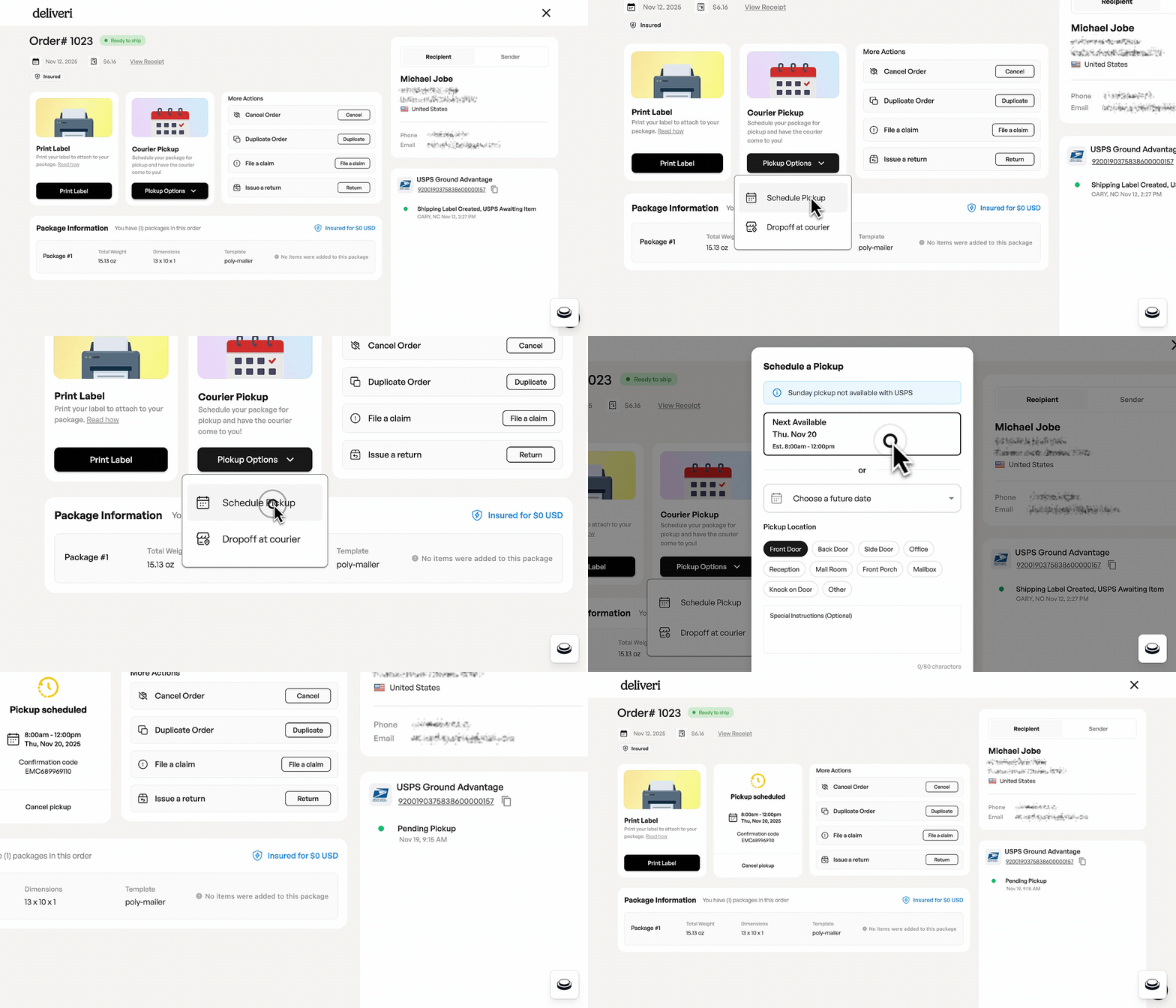
How pickup scheduling works
Create and purchase a shipping label.
On the Summary Page → Select Schedule Pickup.
Confirm pickup location, date, and any special instructions.
Submit the pickup request.
Pickup status and tracking
Pickup requests are confirmed once accepted by the carrier.
Pickup events appear in the order tracking timeline.
Pickup cancellations are supported when available by the carrier.
Common questions
Why can’t I cancel a pickup?
Some carriers may restrict cancellation once a pickup is confirmed.
Why don’t I see pickup events immediately?
Pickup tracking updates appear once the carrier reports the event.